Download YummJarStart Cooking Smarter
Get YummJar on your phone and transform how you collect, organize, scale and share your favorite recipes.
iPhone & iPad
Download for iOS devices from the App Store

Android
Download for Android devices from Google Play

System Requirements
Make sure your device is compatible with YummJar
iOS Requirements
- iOS 15.0 or later
- iPhone 8 or newer
- iPad (6th generation) or newer
- 150 MB available storage
- Internet connection for sync and import
Android Requirements
- Android 8.0 (API level 26) or higher
- 2GB RAM minimum, 4GB recommended
- ARMv7 or ARM64 processor
- 200 MB available storage
- Internet connection for sync and import
How It Works
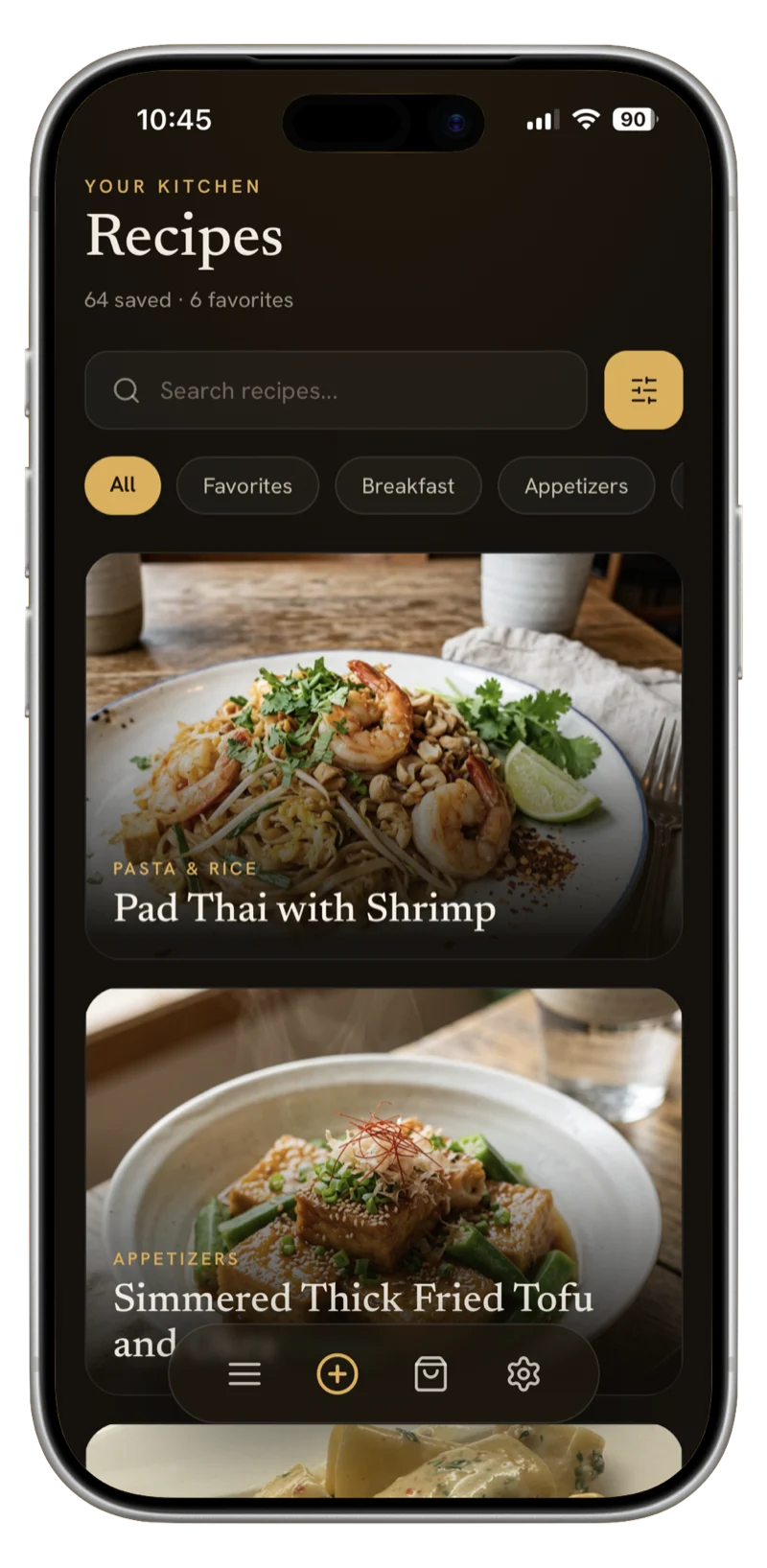
Import from anywhere
Snap a photo, paste text, dictate aloud, or import from websites and social media. YummJar's AI instantly turns it into a clean, digital recipe.
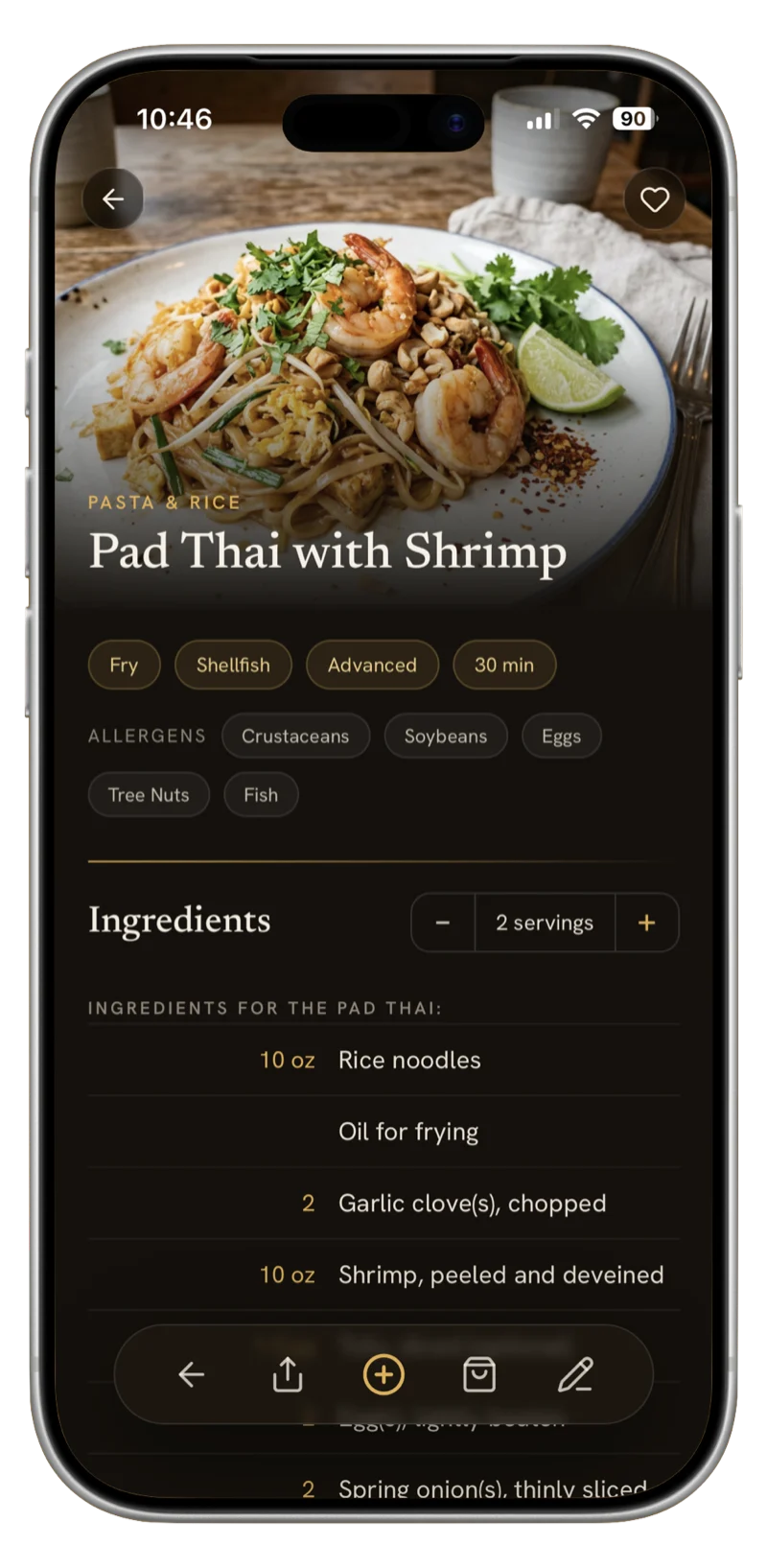
Enhance with AI magic
Automatically adds a beautiful recipe photo, correct categories, subcategories, and tags — all editable by you. If a recipe isn't in your language, YummJar detects it and offers instant AI translation.
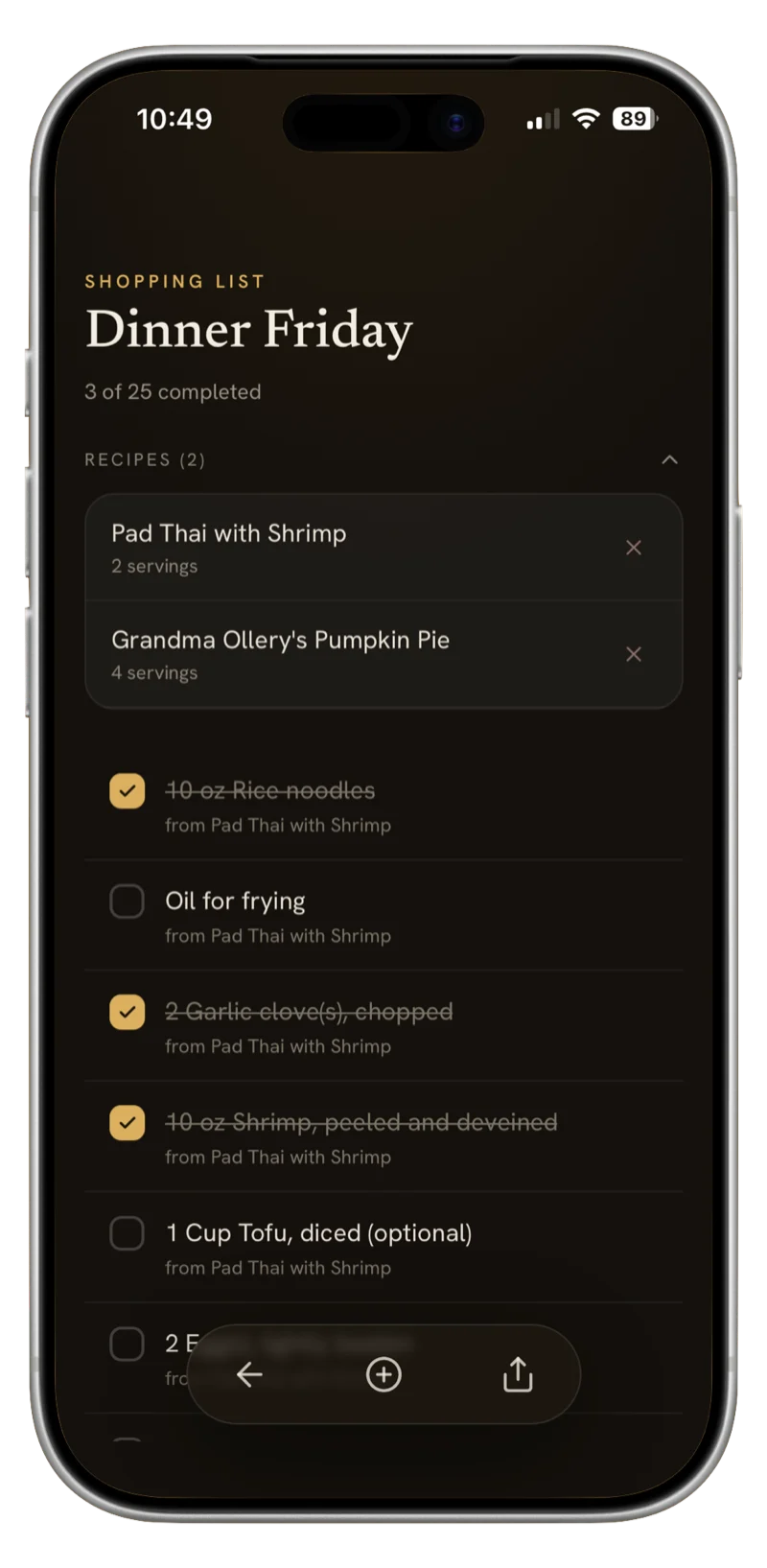
Cook smarter, scale easily
Adjust portions in a tap — ingredient amounts scale automatically. Create shopping lists by hand or from recipes; YummJar combines overlapping ingredients while showing which recipes they belong to.
Frequently Asked Questions
Getting Started
What is YummJar?
YummJar is an AI-powered recipe organizer for iPhone, iPad and Android. Import recipes from any website, scan cookbook photos accurately, translate between any languages, scale ingredients automatically, and sync across devices. Perfect for organizing your digital recipe collection.
Is YummJar free?
YummJar offers a free trial with no account required. You can import up to 20 recipes and test all features. Premium unlocks unlimited imports, advanced AI enhancements, and priority support with a flexible annual plan.
Which devices are supported?
YummJar is available for iPhone (iOS 15.0+), iPad, and Android (8.0+) with full feature parity. All your recipes sync seamlessly across all your devices.
Importing Recipes
How do I import a recipe from a website?
Copy the recipe URL and paste it into YummJar. The AI automatically extracts ingredients, instructions, cooking times, and photos from over 2,000 recipe sites including AllRecipes, Food Network, and Bon Appétit—even from ad-heavy pages.
Can I import handwritten or printed recipes?
Yes! Take a photo of any cookbook page, magazine recipe, or handwritten card. YummJar's AI Recipe Scanner digitizes it accurately in seconds. All scanned recipes are fully editable after import.
What if I just have recipe notes or a screenshot?
YummJar accepts any format: paste unformatted text, upload screenshots, or dictate recipes using voice input. The AI automatically structures everything into a clean, organized recipe format with ingredients and instructions properly separated.
AI & Smart Features
How does the AI enhancement work?
YummJar's AI automatically cleans messy imports, corrects formatting errors, generates beautiful food images for each recipe, and detects allergens in your ingredients. Every recipe gets organized consistently without manual effort.
Can I edit AI-generated content?
Yes, absolutely. All AI-generated content including ingredients, instructions, images, and metadata is fully editable. You maintain complete control over your recipes and can modify anything the AI creates to match your preferences.
Scaling & Shopping Lists
How does recipe scaling work?
Enter your desired serving size and YummJar instantly recalculates all ingredient quantities with mathematical precision. Decimals automatically convert to easy-to-measure fractions like 1⅓ cups instead of 1.33 cups. Perfect for cooking for any crowd size.
Can I create shopping lists?
Yes! Select multiple recipes and generate a combined shopping list. YummJar automatically merges duplicate ingredients, organizes items by category, and scales quantities. Copy to your notes app or share with family members instantly.
Languages & Premium
What languages does YummJar support?
YummJar can translate recipes between any languages. The app interface is available in English, German, French, Italian, Spanish, Portuguese, and Polish. You can translate any recipe into your preferred language instantly.
What's included in YummJar Premium?
Premium unlocks unlimited recipe imports (free: 20 recipes), advanced AI image generation, priority customer support, and early access to new features. Choose a flexible annual plan. Cancel anytime with no hidden fees or commitments.
Privacy & Support
Is my data private and secure?
Yes. Your recipes are encrypted and stored securely in the cloud with access restricted to you only. We never sell or share your data with third parties. Delete your account and all associated data instantly anytime.
How do I get help or report a bug?
Email support@yummjar.app or use the in-app feedback feature. We typically respond within 24 hours. Premium users receive priority support with faster response times for urgent issues and feature requests.
Digitize & Preserve Family Recipes
Can I scan my grandmother's handwritten recipes?
Yes! YummJar's AI scanner can digitize handwritten recipe cards, old cookbook pages, and magazine clippings. Just take a photo and the AI extracts ingredients and instructions accurately — even from cursive handwriting. Your family recipes are preserved forever in a searchable digital format.
Is YummJar a good Yummly alternative?
Yes. Since Yummly shut down in December 2024, YummJar has become the go-to alternative for recipe organization. Unlike Yummly, YummJar lets you import recipes from any source — websites, photos, handwriting, or voice — and adds AI-powered features like automatic photo generation, allergen detection, and instant translation that Yummly never offered.
Can YummJar translate recipes from other languages?
Absolutely. Found a great recipe in Italian, Japanese, or any other language? YummJar translates entire recipes — ingredients, instructions, and all — into your language with a single tap. It's the only recipe app that combines translation with AI-powered import from any source.